One workspace
Every layer of the week, stacked in one place
- 01DashboardTotal hours, active people, the trend, and what needs you today.
- 02ReportsHours, activity and billing per person or per project.
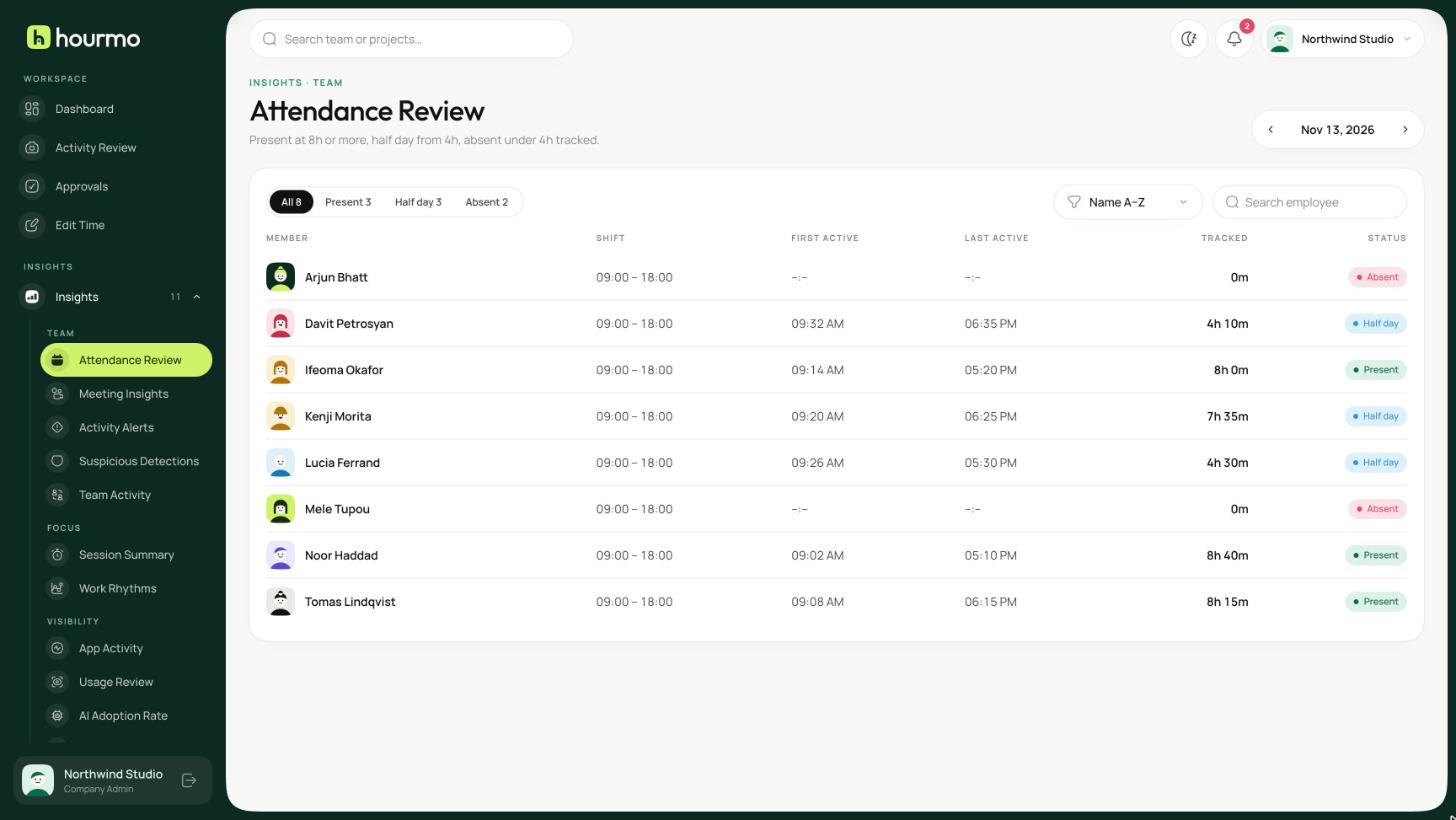
- 03AttendanceFirst active, last active and tracked time against your shift rules.
Dashboard
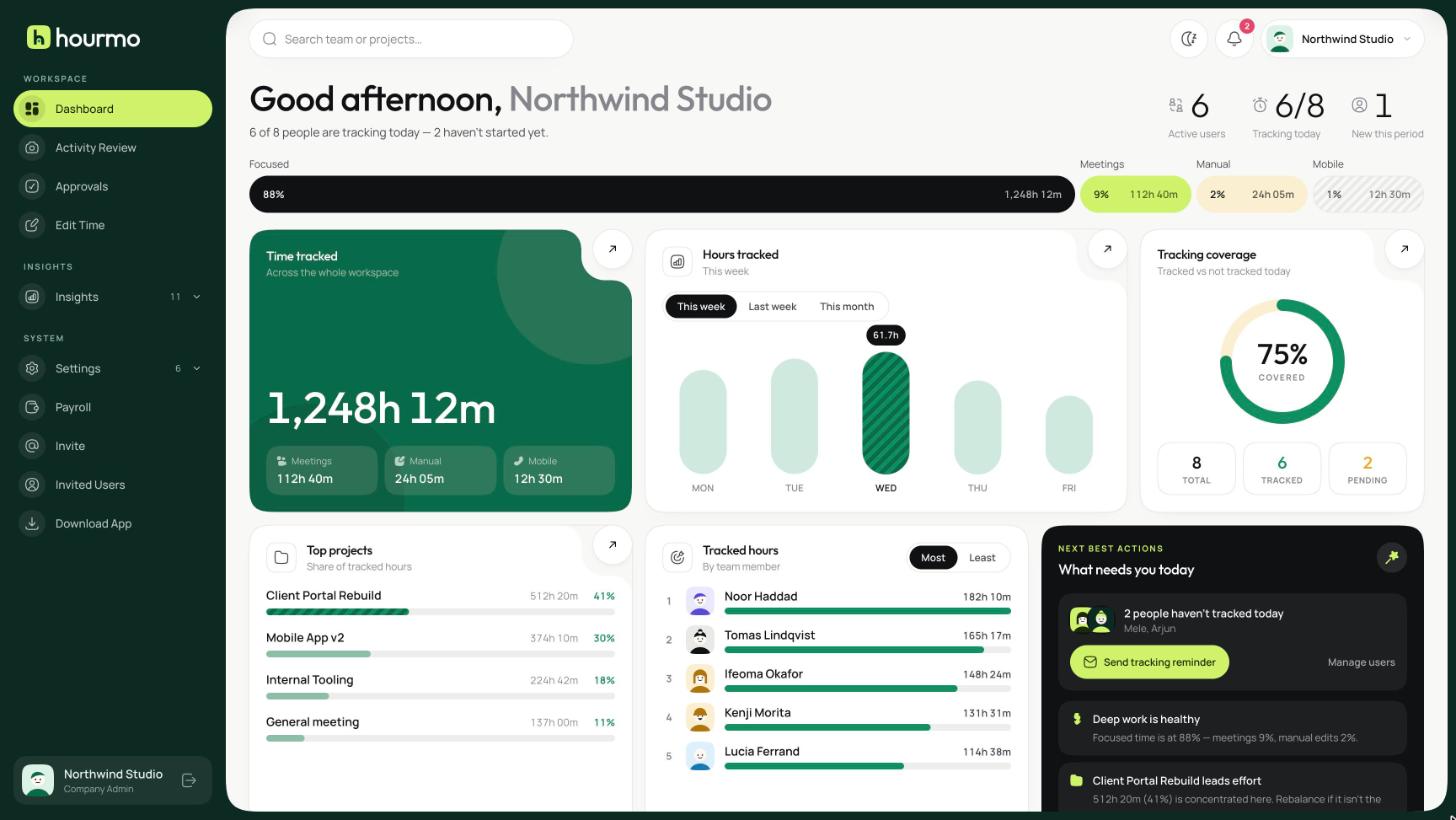
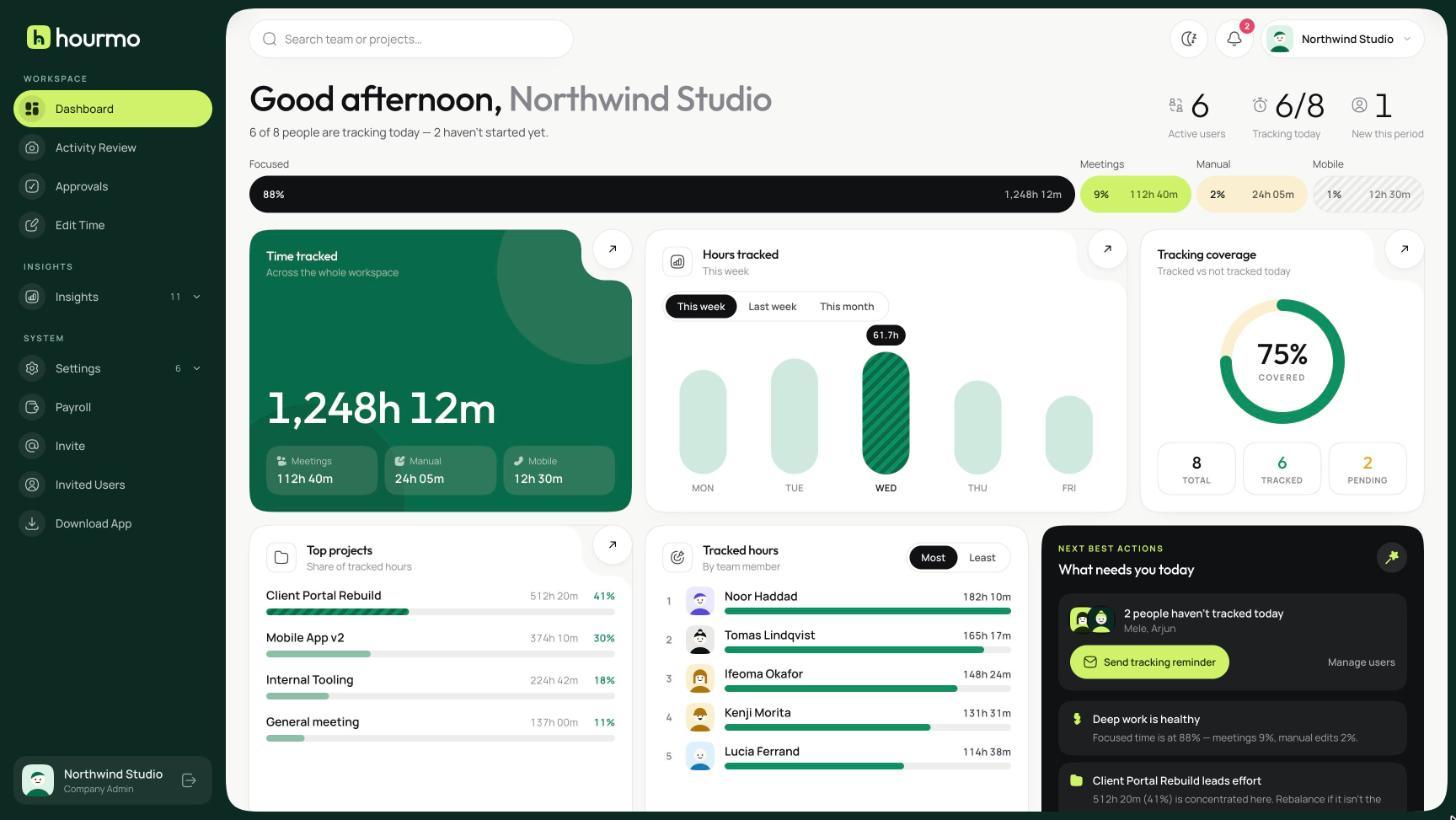
The whole workspace on one screen
Total hours, active people, how the week is trending and what needs your attention today — without opening a single report.
- Focused time separated from meetings, manual entries and mobile
- Top projects and top people ranked by tracked hours
- Flags anyone who has not tracked today, with a one-click reminder
Activity Review
See the work, not just the hours
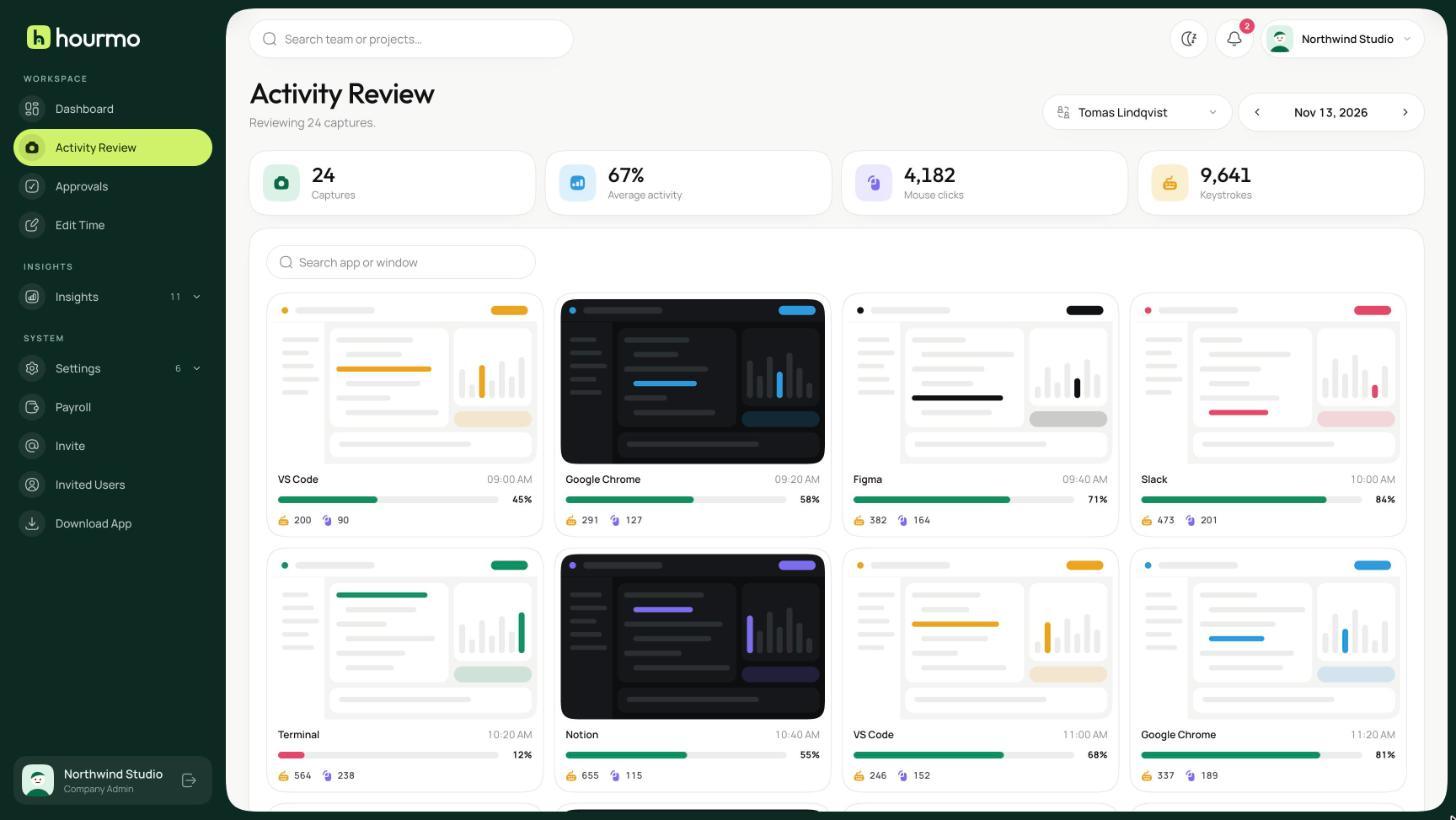
Screen captures grouped through the day, each paired with the keyboard and mouse activity recorded at the time.
- Keystrokes and clicks shown on every capture
- People can delete their own captures before a manager sees them
- Low-activity blocks are flagged for you
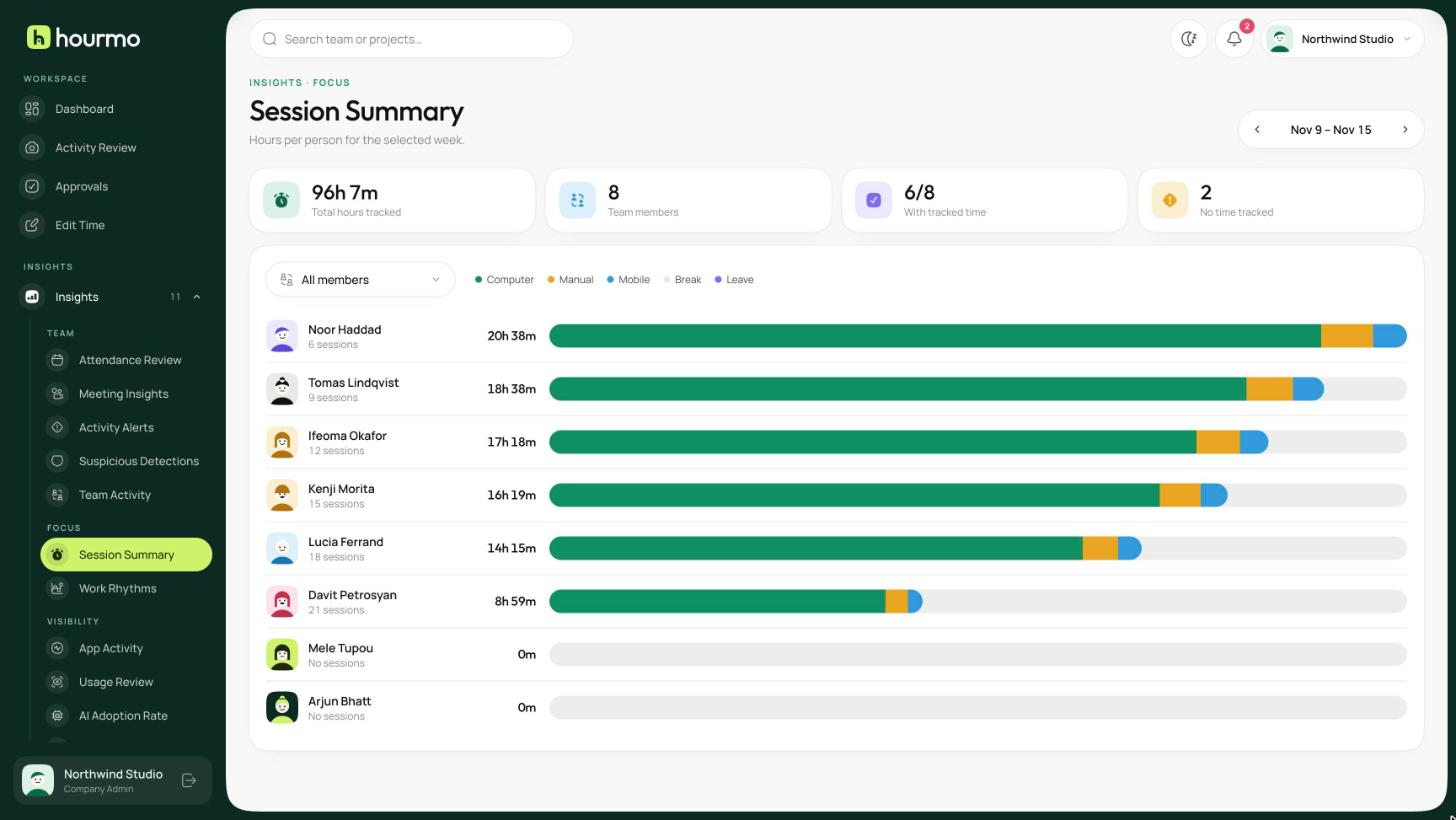
Session Summary
Reports managers actually read
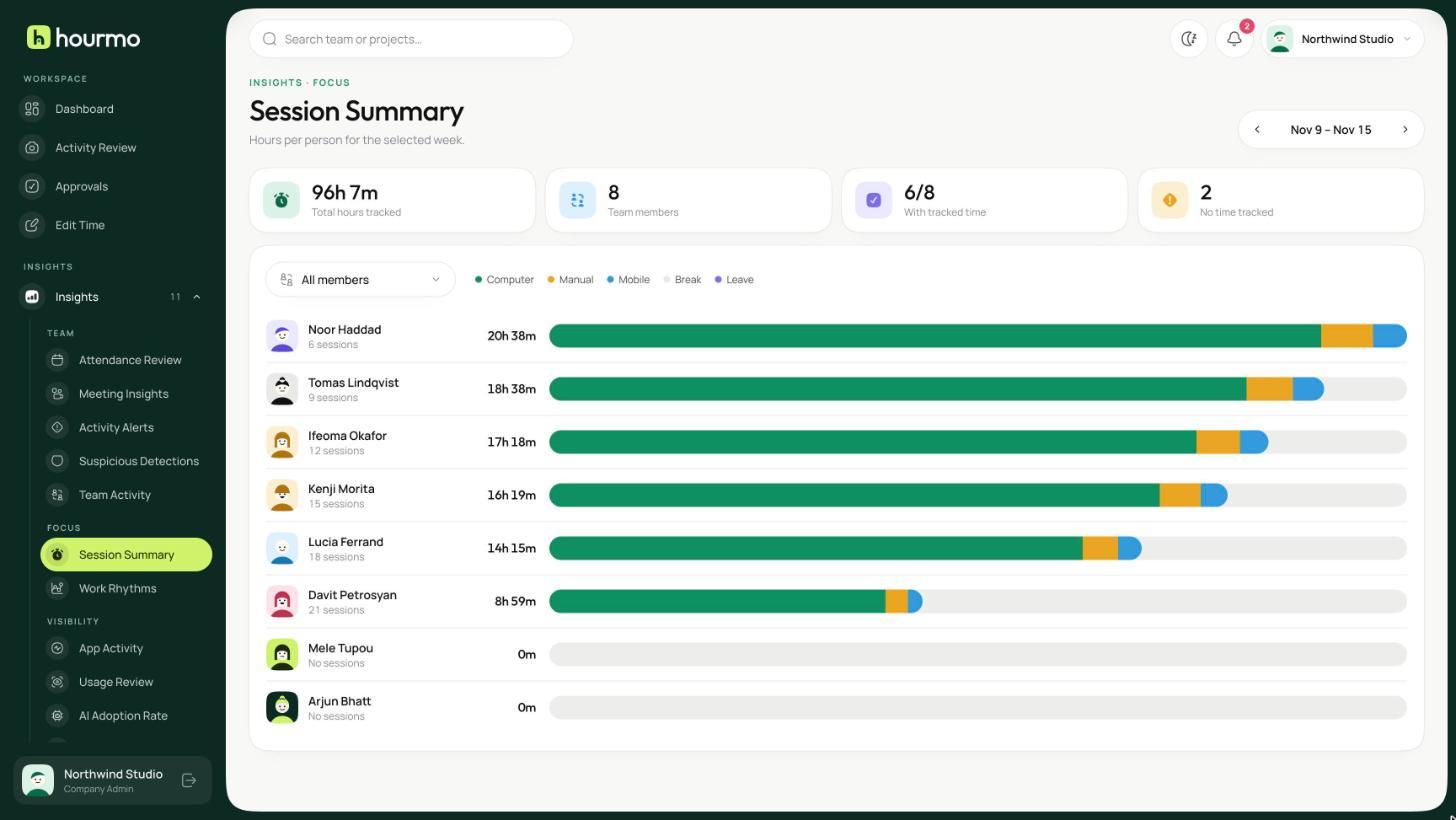
Hours, activity, attendance and billing, per person or per project. Schedule any of them and they land in your inbox on their own.
- Day, week or month on every report
- Computer, manual, mobile and break time broken out per person
- Export to CSV or Excel, or send on a schedule
Work Rhythms
Know when your team does its best work
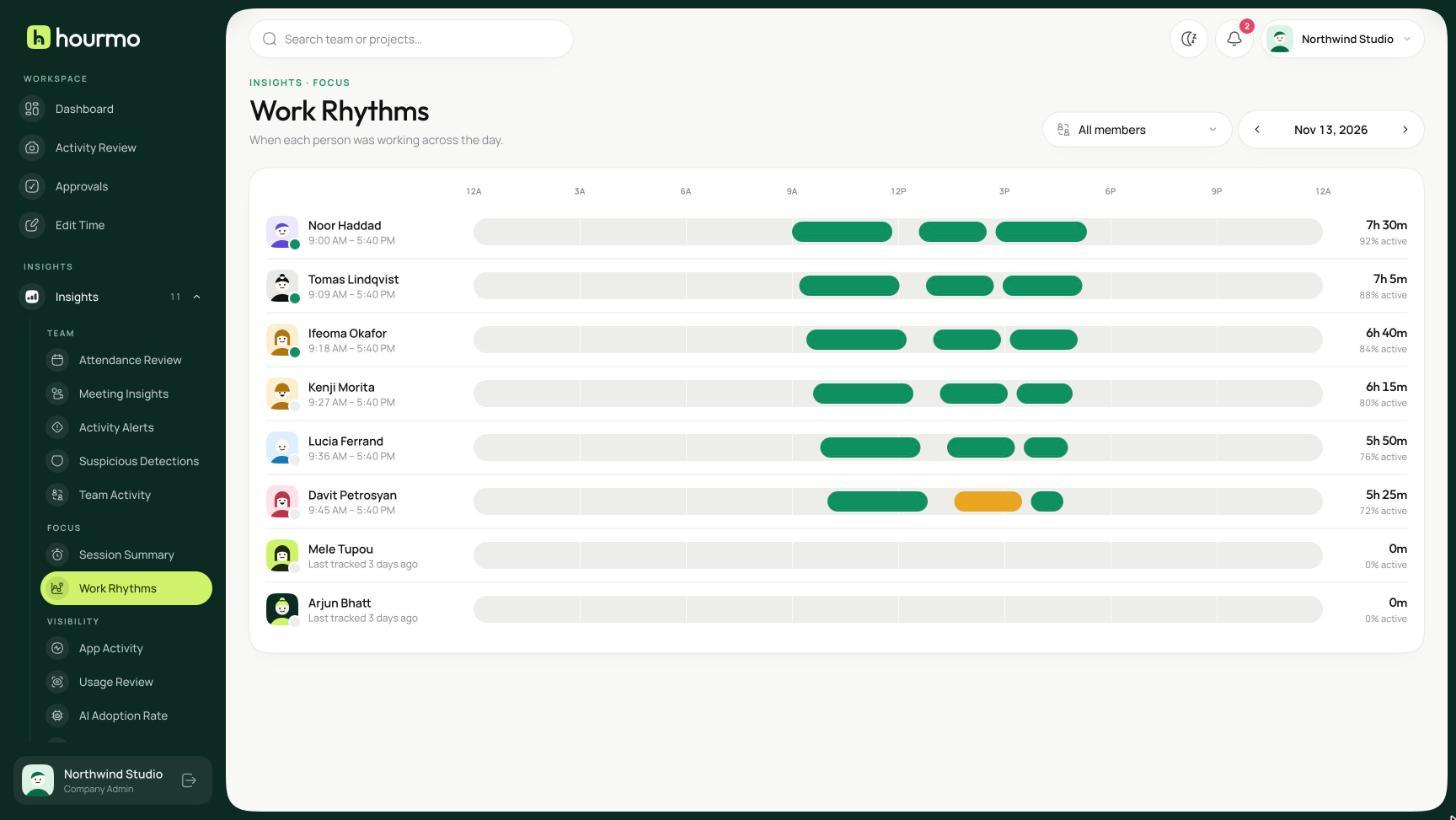
A timeline of the day for every person — when they started, where the focus blocks fell, and where the day fragmented.
- Idle time shown in the same lane as work
- Who is online right now, at a glance
- Hover any block to see exactly when it ran
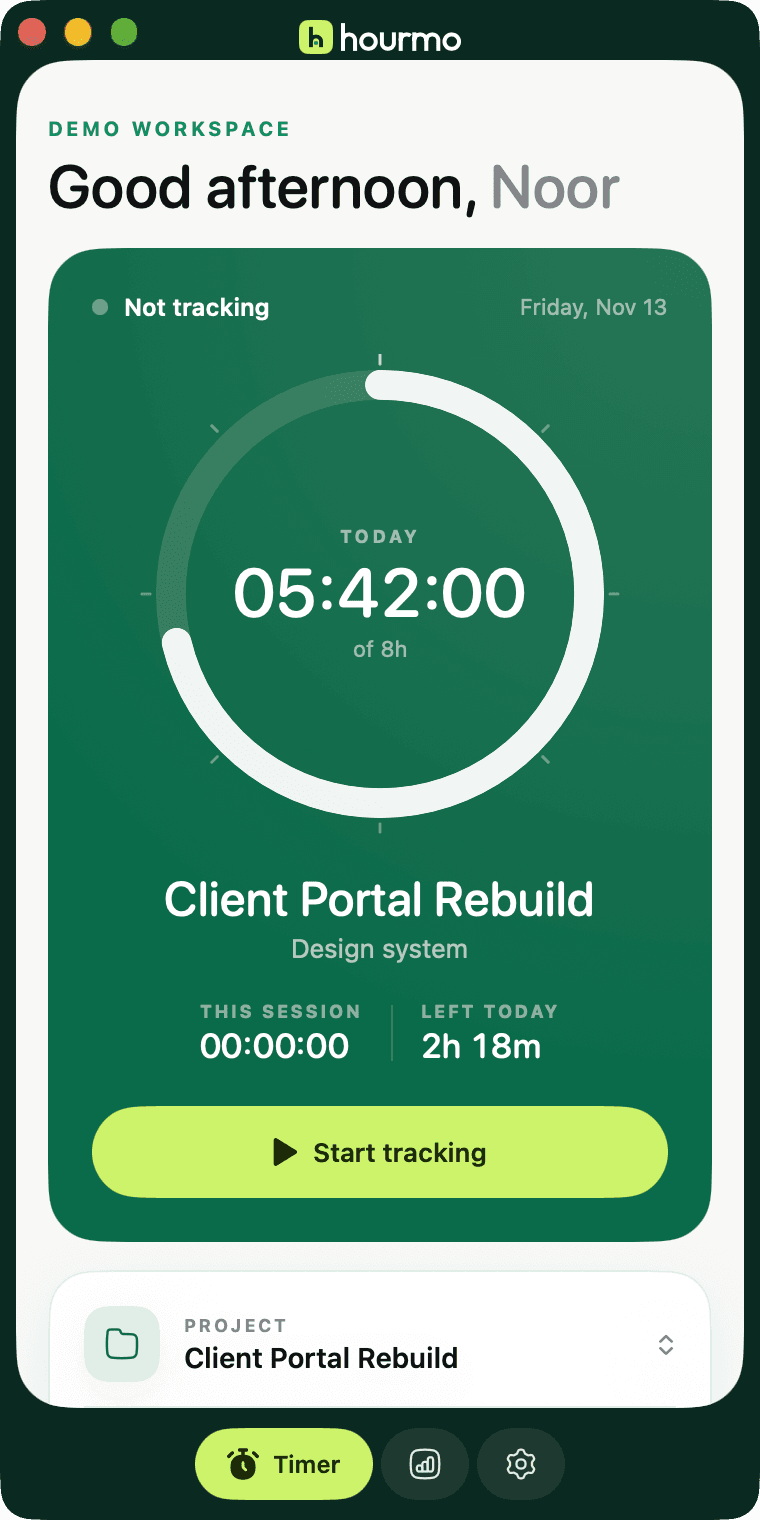
Hourmo for desktop
The tracker, rebuilt for the Mac.
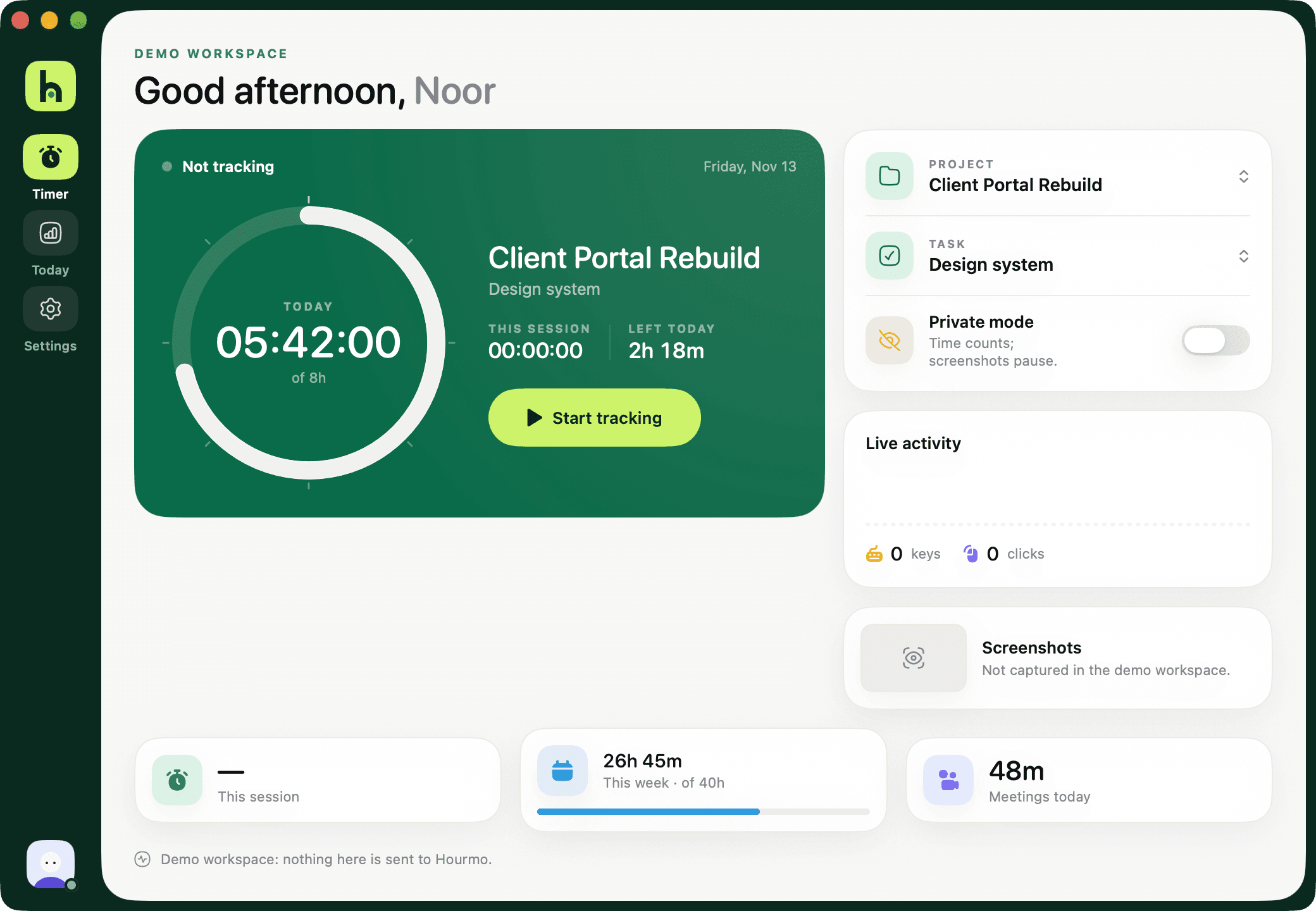
A native app that starts in a click and stays out of the way. Your day fills a dial as you work, and you always see exactly what is being recorded.
- Start from the menu bar
- Toggle in Control Center
- Live activity as you work
- Private mode when you need it
Preview build. The first time you open it, macOS may ask you to confirm.
The full report library
Every question about the week, already answered
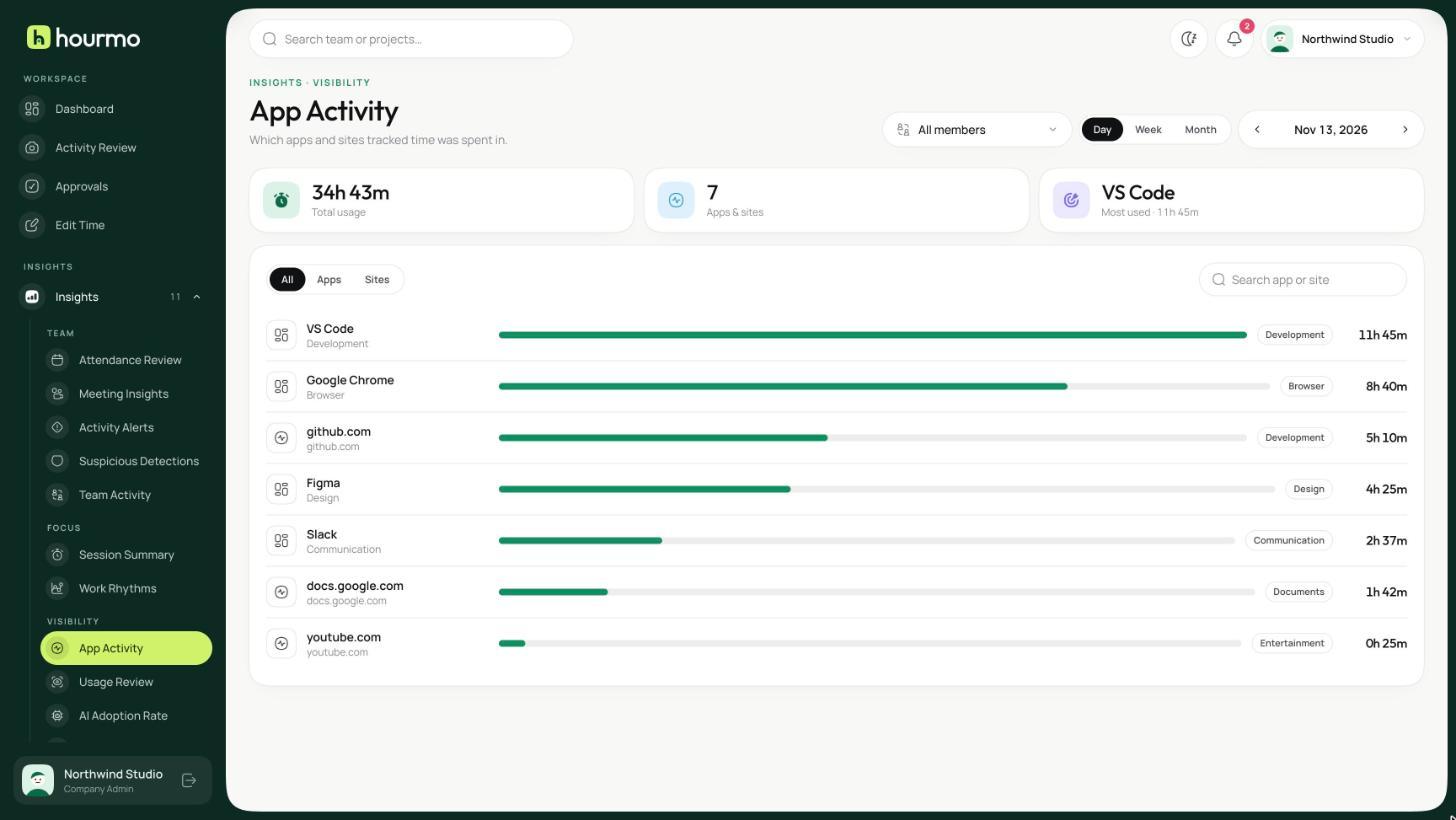
App & web usage
Which apps and sites tracked time was actually spent in, per person or for the whole team.
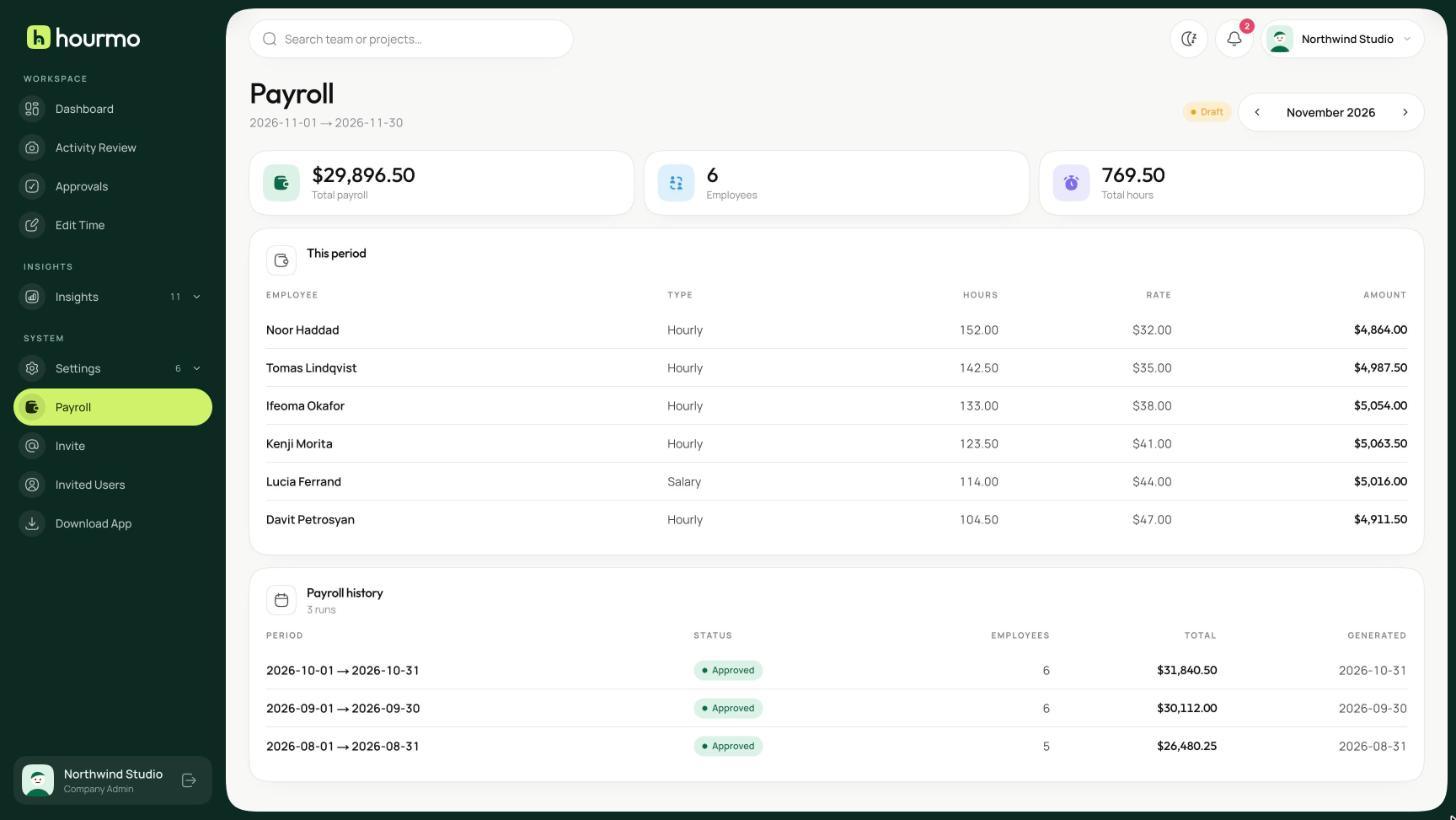
Payroll
Hourly or fixed pay structures turn tracked hours into a payroll run you can approve and export.
- Attendance review
- First active, last active and tracked time, scored against your shift rules.
- Approvals
- Forgotten the tracker? They request the change; you approve or reject it with the reason attached.
- Meeting insights
- How much of the week goes into meetings, by platform and by person.
- AI adoption
- How much tracked time is spent in AI tools, and who is using them.
- Suspicious detections
- Mouse, keyboard and artificial-input patterns that don't look like normal work.
- Activity alerts
- Tracked blocks with unusually low activity, grouped by person.